

App creation AI tools help:
- build apps faster with less code
- generate app logic and UI components
- automate repetitive development tasks
- support rapid prototyping and testing
These tools simplify app development and help teams launch products faster.






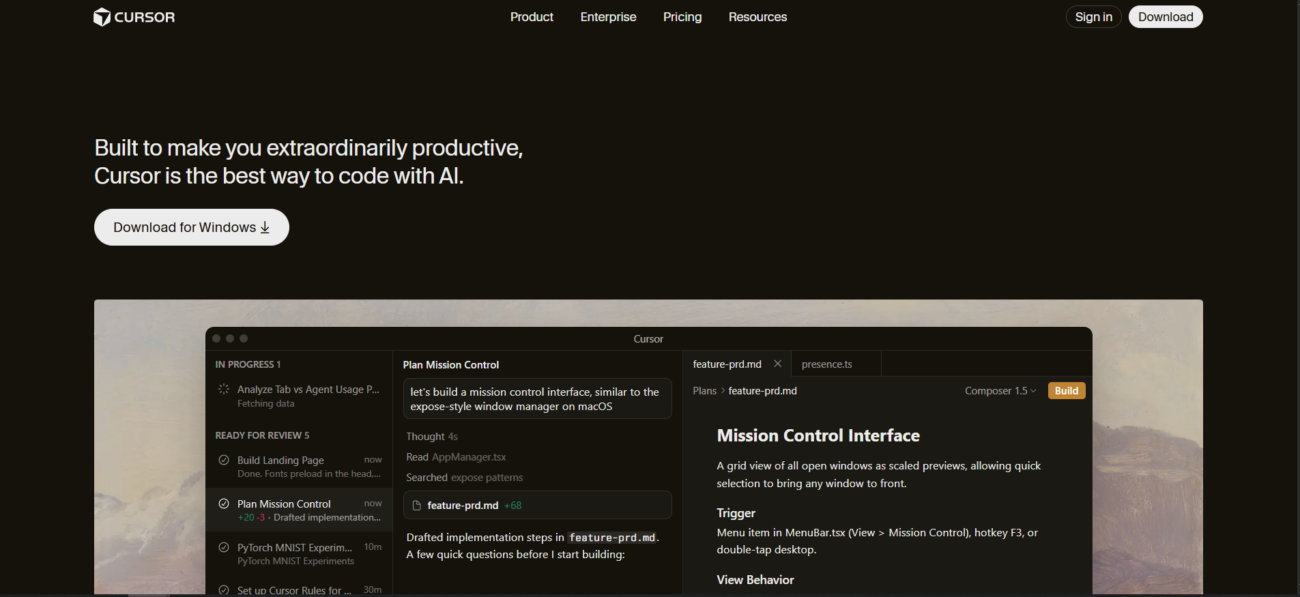
Cursor is an AI-first code editor, built as a fork of Visual Studio Code, that integrates large language models directly into the development environment. Unlike standard plugins, Cursor is designed from the ground up to index your entire codebase, allowing the AI to have full context of your project’s structure, files, and dependencies. In 2026, it features an advanced “Agent Mode” that can independently plan and execute complex, multi-file changes based on high-level natural language instructions.
You can use Cursor as a standalone Desktop application for deep development work. It also provides a Web-based interface through its Cloud Agents, which allow users to interact with repositories and generate artifacts directly in a browser. For developers on the move, its Mobile Agent access enables users to troubleshoot issues or review code remotely. Furthermore, Cursor offers an API and supports the Model Context Protocol (MCP) to connect with external tools like Jira, Notion, and Slack.
Cursor is best known for its “Codebase Indexing,” which enables it to answer project-specific questions and provide “Tab-Tab-Tab” predictive completions that feel telepathic. It is highly regarded for its “Composer” feature, which allows users to build entire applications or features across multiple files simultaneously. Beyond pure coding, it has become a favorite for “Vibe Coding”—allowing developers and marketers alike to build custom automation scripts and PPC tools simply by describing what they need.

AI code tools help developers write, debug, and understand code faster across the development process.

AI team collaboration tools support shared workspaces and structured teamwork around AI workflows.
Development AI tools help:
These tools help teams build, test, and ship software more efficiently.
Website creation AI tools help:
These tools help users launch and manage websites more efficiently.
Features:
Features:
Features:
Pricing information is provided for reference only and may change.
For the most up-to-date pricing, please visit the
official website
.




Leave a comment