



Calendly AI



See Calendly AI in Action
About Calendly AI
What Is Calendly AI?
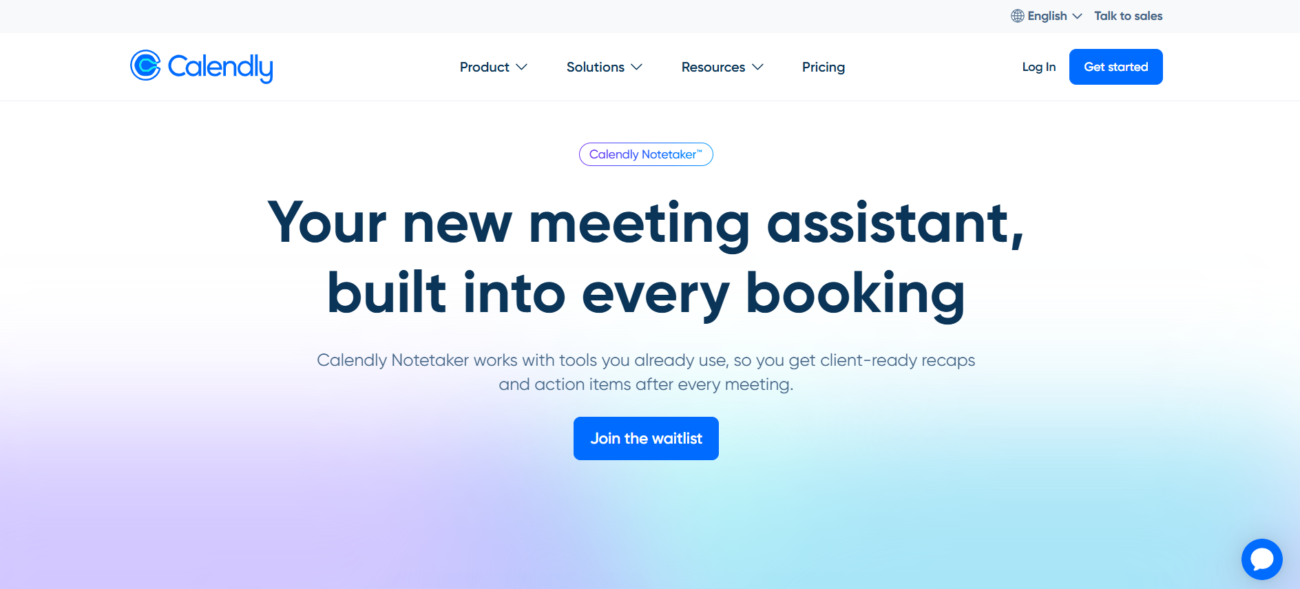
Calendly AI is a suite of smart tools designed to handle the entire meeting lifecycle, from initial booking to post-meeting follow-ups. The core of its 2026 offering is the “Calendly Notetaker,” an AI meeting assistant that automatically joins video calls to record, transcribe, and generate concise summaries. Beyond notes, the platform uses AI to intelligently manage availability and suggest optimal meeting times based on participant habits and priorities.
Where You Can Use It
Calendly AI is accessible through its Web dashboard, dedicated Mobile apps for iOS and Android, and a Desktop browser extension. It integrates directly into the major video conferencing platforms you already use, such as Zoom, Google Meet, and Microsoft Teams. For businesses with custom requirements, its robust API allows for the programmatic creation of scheduling links and the retrieval of AI-generated meeting data.
What It’s Known For
Calendly is the industry standard for eliminating the back-and-forth of scheduling, but it is now widely recognized for its “Notetaker” feature. This AI is praised for providing “client-ready” meeting recaps—meaning it doesn’t just transcribe words but organizes them into key points and clear next steps that can be shared instantly. It is highly valued for its ability to bridge the gap between a scheduled event and the actual work that follows.
Features

AI document summarization tools extract key points from long documents to save time reading.

AI integrations connect AI tools with existing platforms to streamline workflows and automation.

AI natural language processing helps software understand, analyze, and work with human language.

AI text summarization tools condense long text into clear, easy-to-read summaries.
Use Cases
Business management AI tools help:
- organize and manage business operations
- improve planning and decision-making
- automate routine management tasks
- increase visibility across teams and processes
These tools help businesses run more efficiently and stay organized as they scale.
Productivity AI tools help:
- organize tasks and priorities
- automate routine work
- improve focus and time management
- reduce distractions and overload
These tools help individuals and teams get more done with less effort.
Recruiting AI tools help:
- source and screen candidates faster
- automate resume review and shortlisting
- improve hiring efficiency and accuracy
- reduce manual recruiting tasks
These tools help recruiters hire better candidates while saving time.
AI-powered sales tools help:
- automate lead prospecting and outreach
- save hours by identifying and contacting high-fit prospects automatically.
- shorten the sales cycle with instant insights
- get real-time data and AI coaching to handle objections and close deals faster.
These tools empower sales professionals to crush quotas by spending more time selling and less time on data entry.
Pricing
Features:
- 1 Active Event Type: You can create many, but only one can be bookable at a time.
- 1 Calendar Connection: Sync with Google, Outlook, Office 365, or iCloud.
- Unlimited Meetings: No cap on the number of people who can book your active link.
- Basic AI Assistant (Beta): Ask natural language questions about your upcoming schedule.
- Standard Integrations: Connect with video tools like Zoom, Google Meet, and Microsoft Teams.
- Branding: “Powered by Calendly” badge is visible on your booking page.
Features:
- Unlimited Active Event Types: Create separate links for 15-min intros, 60-min strategy sessions, etc.
- 6 Calendar Connections per user: Perfect for checking availability across work and personal calendars.
- Group Events: Allow multiple invitees to book the same time slot (e.g., webinars or classes).
- Automated Workflows: Send automated email reminders and follow-ups.
- No Calendly Branding: A cleaner, more professional booking experience for your clients.
- Payment Integration: Collect payments upfront via Stripe or PayPal.
Features:
- Advanced AI Features: Includes full access to Calendly Notetaker (beta), which records, transcribes, and generates summaries/action items for your meetings.
- Round Robin Scheduling: Automatically distribute meetings across a team based on availability or priority.
- Managed Events: Admins can create and “lock” meeting templates for the whole team to ensure consistency.
- Salesforce & HubSpot Routing: Qualify leads via forms and route them to the correct rep’s calendar instantly.
- SMS Reminders: Send text notifications to invitees to reduce no-show rates.
- Analytics Dashboard: Track meeting activity and team performance trends.
Pricing information is provided for reference only and may change.
For the most up-to-date pricing, please visit the
official website
.
Alternatives to Calendly AI




Leave a comment