



Canva AI



How Canva AI Works
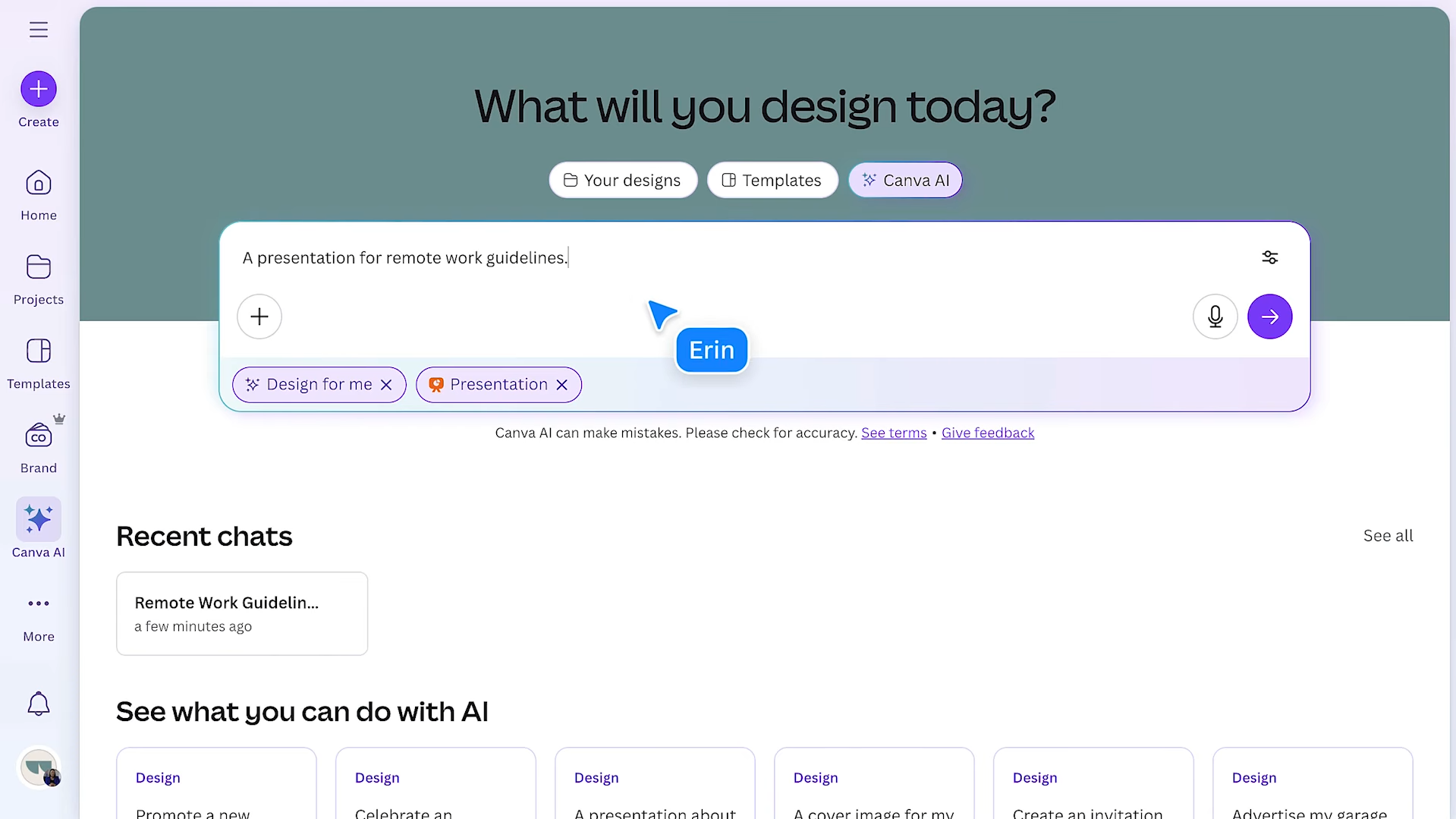
Enter your prompt
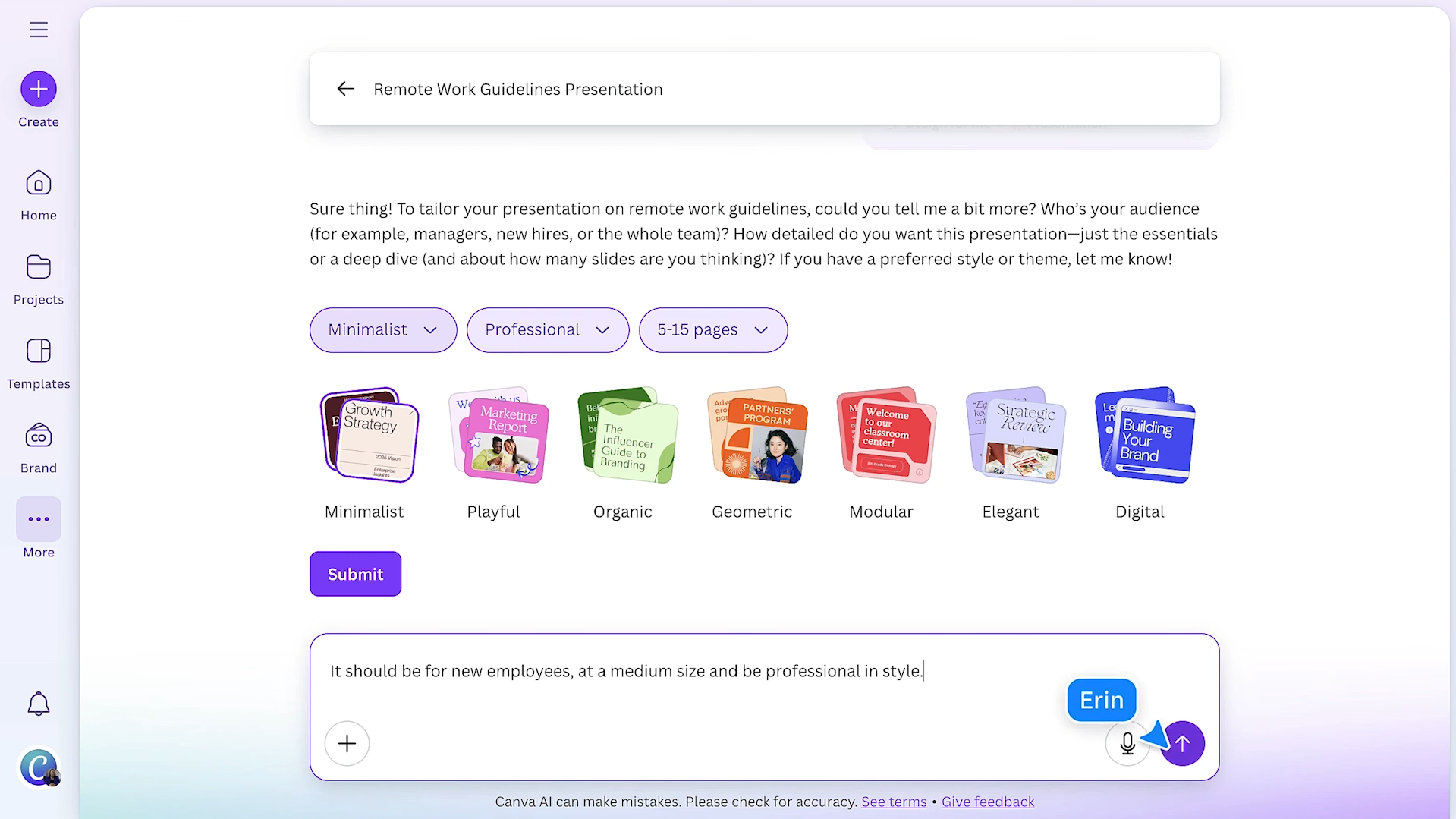
Add some context
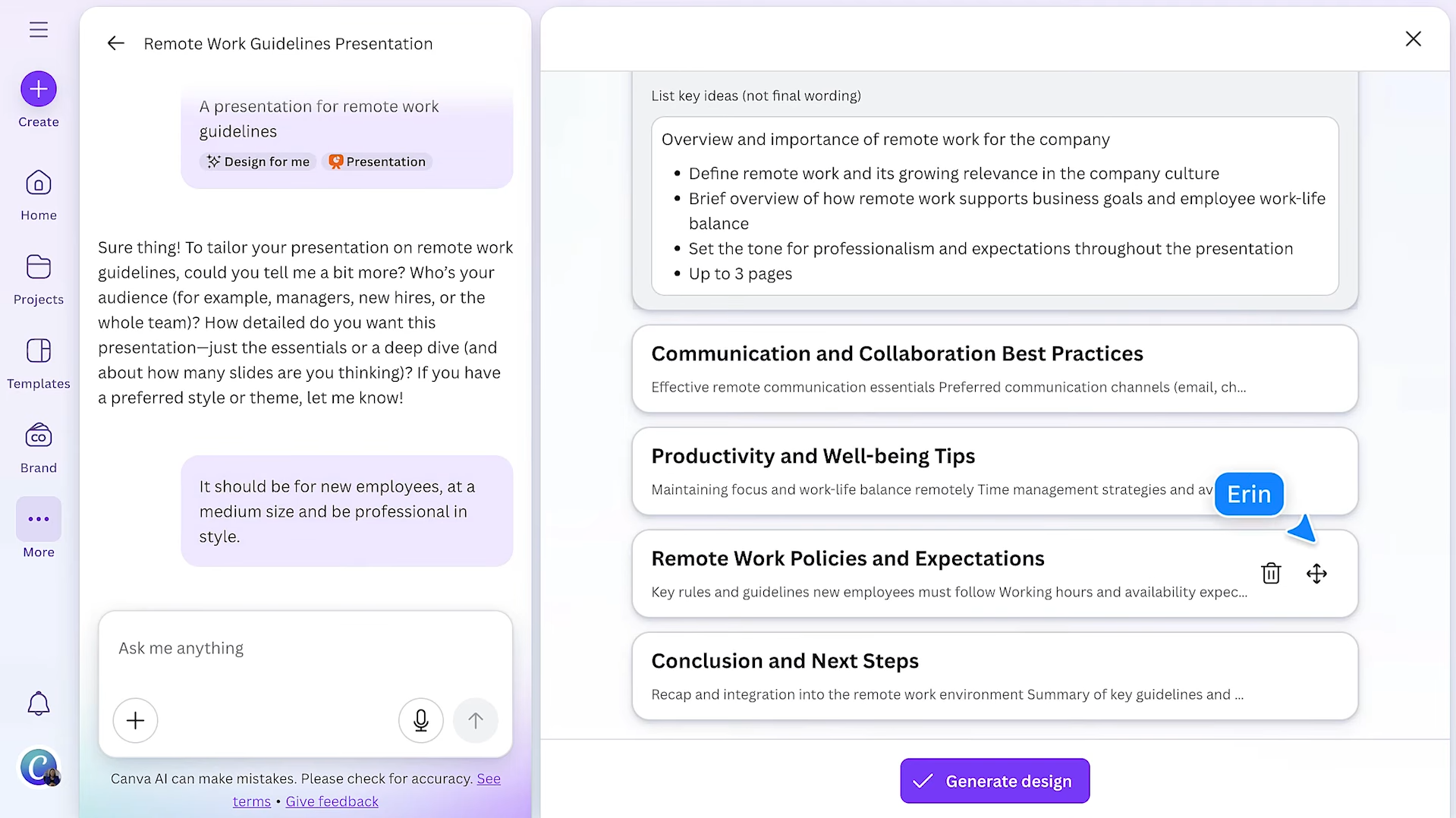
Get your output
See Canva AI in Action
About Canva AI
What Is Canva AI?
Canva AI refers to Canva’s AI-driven tools that help you create visuals and content faster inside the Canva editor. You start with an idea or a draft, and AI helps you generate options, refine the design, and polish the final result.
- Works best when you specify format, style, and purpose.
- Helps you get to a strong first version quickly.
What You Can Do With It
- Canva AI is designed for quick creation and fast iteration.
- Generate visual directions and variations, then choose what fits best.
- Improve and adjust designs without rebuilding from scratch.
- Produce consistent assets faster across different formats.
How It Fits Into a Workflow
Most people use Canva AI as a speed layer on top of normal Canva design work.
- Create a base design once, then reuse and adapt it into multiple versions.
- Keep outputs consistent by repeating formats and visual rules.
- Scale content production while staying on-brand.
Features

AI content writing tools generate blog posts, outlines, and long-form content, helping users write faster and stay consistent.

AI image editing tools enhance images, remove backgrounds, and make quick visual edits automatically.
AI image generation tools create visuals from text prompts for marketing, design, and creative projects.

AI team collaboration tools support shared workspaces and structured teamwork around AI workflows.
Use Cases
Content creation AI tools help:
- generate ideas and creative concepts
- produce written, visual, and audio content faster
- stay consistent across platforms and formats
- reduce time spent on repetitive creation tasks
These tools help creators focus more on creativity and growth instead of manual production.
Design AI tools help:
- create visuals and design assets faster
- explore styles and creative variations
- improve design consistency and quality
- reduce time spent on manual edits
These tools help teams focus more on creativity and less on repetitive design work.
Marketing AI tools help:
- plan and create campaigns faster
- generate content across multiple channels
- analyze performance and optimize strategy
- automate repetitive marketing tasks
These tools help marketing teams work more efficiently and drive better results.
Small business AI tools help:
- automate daily operations and admin work
- manage marketing, sales, and customer support
- improve productivity with limited resources
- support smarter decisions and growth
These tools help small businesses run more efficiently without increasing overhead.
Social media AI tools help:
- create posts and captions faster
- plan and schedule content consistently
- analyze performance and engagement
- automate repetitive social media tasks
These tools help teams and creators grow their presence and manage social media more efficiently.
Pricing
Features:
- Limited Magic Studio access: Access to basic AI tools like Magic Write, Magic Design, and Magic Media (text-to-image).
- Usage Caps: Typically limited to ~50 total lifetime uses for premium AI tools (like Magic Write) and 20 monthly uses for Dream Lab image generation.
- Basic Editing: Drag-and-drop editor with 2 million+ free templates and 1,000+ design types.
- Storage: 5 GB of cloud storage.
- Collaboration: Invite others to view and edit designs in real-time.
Features:
- 1 User seat.
- Full Magic Studio Access: Unlimited use of over 20 AI tools, including Magic Expand, Magic Eraser, and Magic Grab.
- High AI Allowance: 500 uses per month for premium AI features (resets monthly).
- Premium Content: Access to 140 million+ premium stock photos, videos, and graphics.
- Brand Kit: Create up to 100 Brand Kits with your own logos, colors, and fonts.
- Magic Resize: Instantly turn one design into multiple formats (e.g., Instagram post to LinkedIn banner).
- Storage: 1 TB of cloud storage.
Features:
- No seat minimum: Can be used by solo power users or small teams.
- Higher AI Allowance: Includes a larger pooled quota for AI generations and access to the Leonardo.ai Apprentice plan for production-grade image/video generation.
- Brand Controls: Lock templates and set approval workflows to ensure team consistency.
- Ad Inspiration & Insights: AI-powered tools specifically for generating and analyzing marketing ads.
- Team Reports: Admin tools to track usage and project status.
- Storage: 1 TB per person (shared across the team).
Pricing information is provided for reference only and may change.
For the most up-to-date pricing, please visit the
official website
.
Alternatives to Canva AI





Leave a comment